Vesperveil
Near-black wine backgrounds, ivory text and richer syntax colours. Rose keywords, warm golden functions, lavender types and green strings, with italic comments.
Syntax colours.
Richer rose keywords, warm golden functions, lavender types and green strings. Variables use ivory and comments are italic.
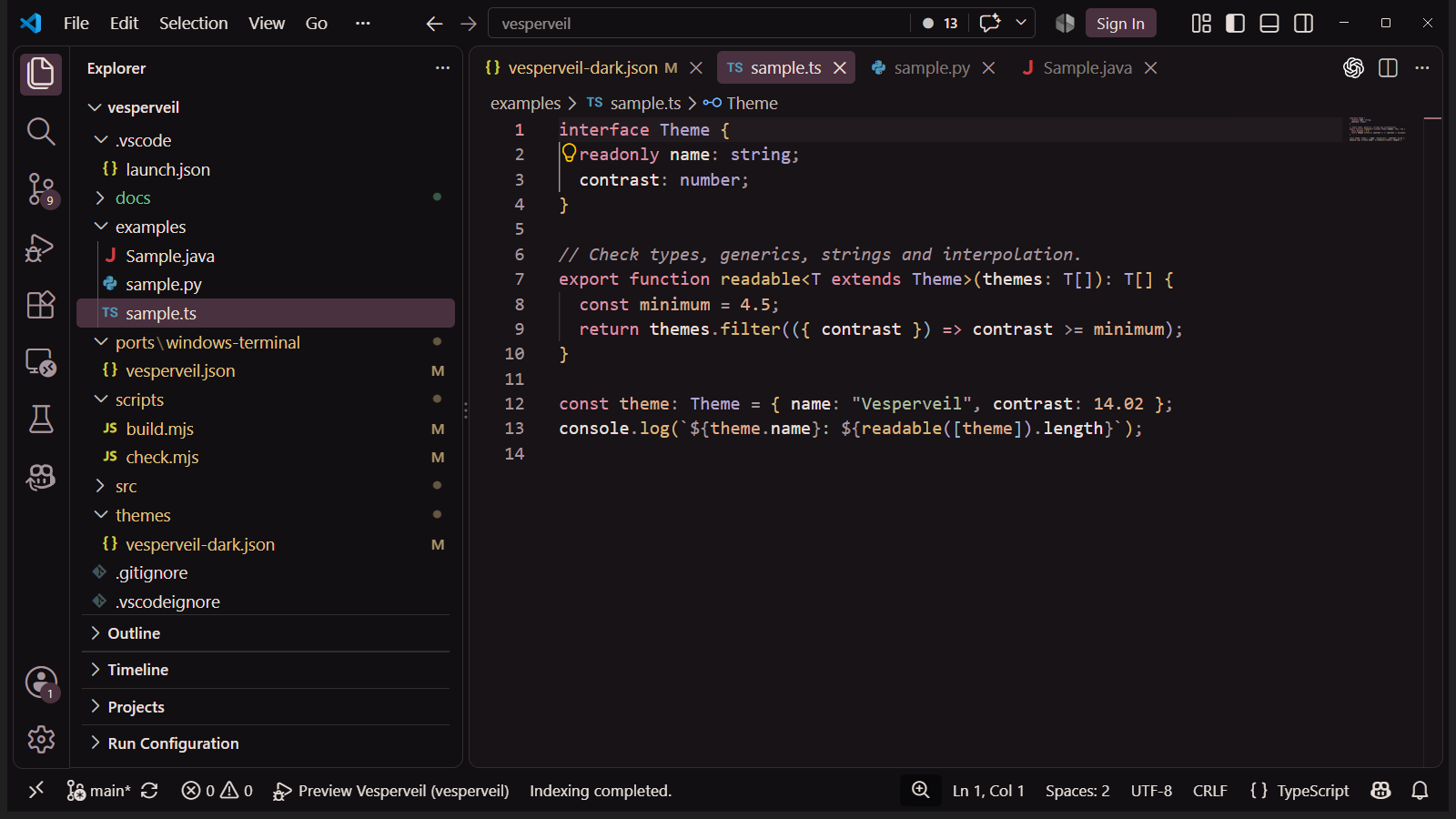
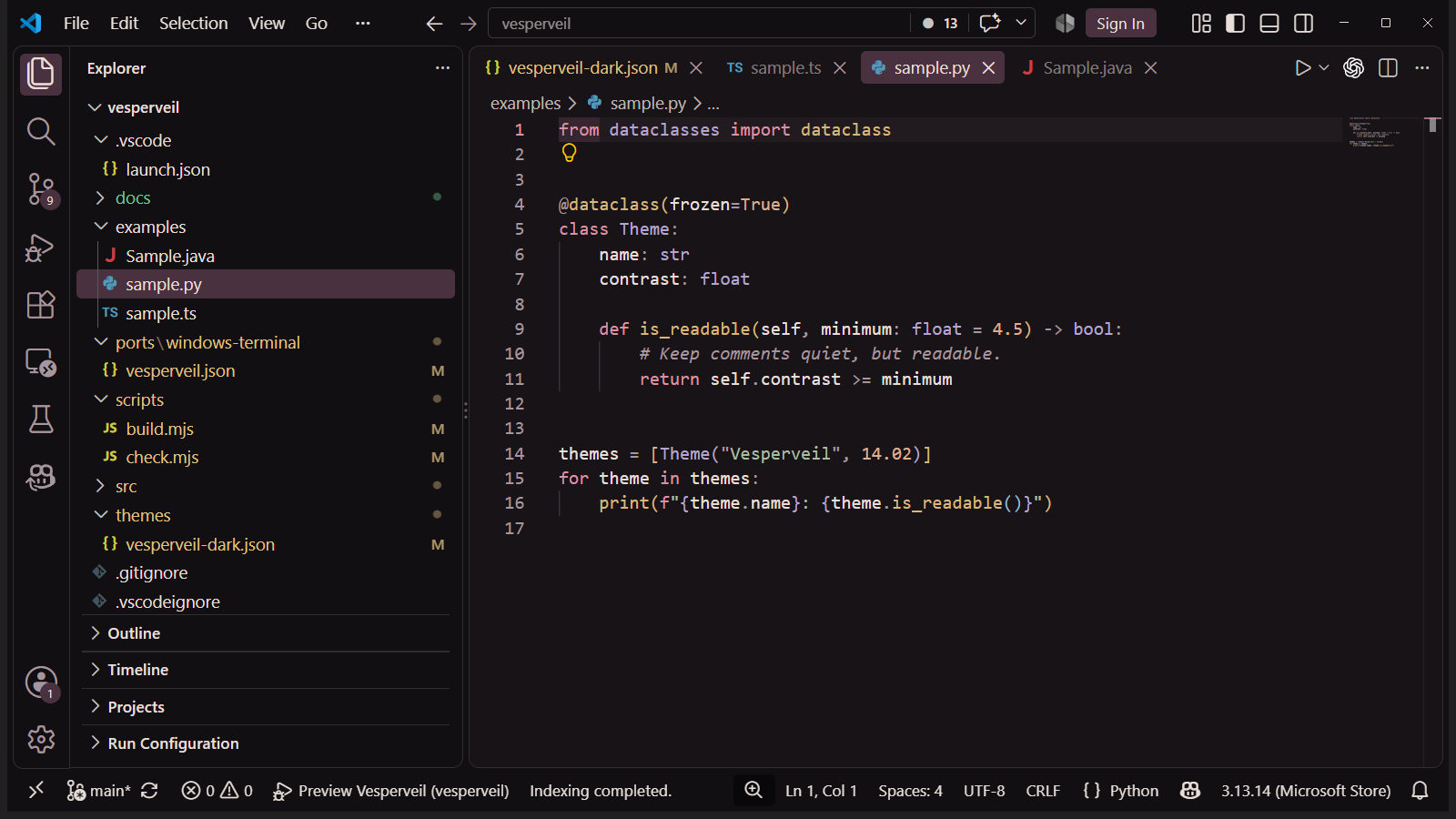
Actual VS Code screenshots. Fonts, icons and decorations depend on editor settings and extensions.
Install Vesperveil
Install the extension, then open “Preferences: Color Theme” in the VS Code Command Palette to choose the theme.
To install the package, use “Extensions: Install from VSIX…” in VS Code.
Wine surfaces. Ivory text.
#171316#211B20#E8DFDA#DA5676#ED829F#E5B55F#BE9BE9#9FCB8F#EFA777#A6979FPalette contrast.
Ratios calculated against the editor background. The review covers selected VS Code states; it is not an accessibility certification. Cursor and a full interaction review are still pending.
- Primary text
- 14.02:1
- Comments
- 6.61:1
The same palette in the terminal.
The repository includes a Windows Terminal scheme with all 16 ANSI colours, background, text, selection and cursor.
View the terminal scheme⚠ An independent project, unaffiliated with HoYoverse. Subtly inspired by Ronova’s palette (Genshin Impact); no official artwork is included.